Print Photo - Print to Size
- 3.7
- Rating
- 50.00K
- Installs
- $2.99
- Price
 Analysis by App-foxy
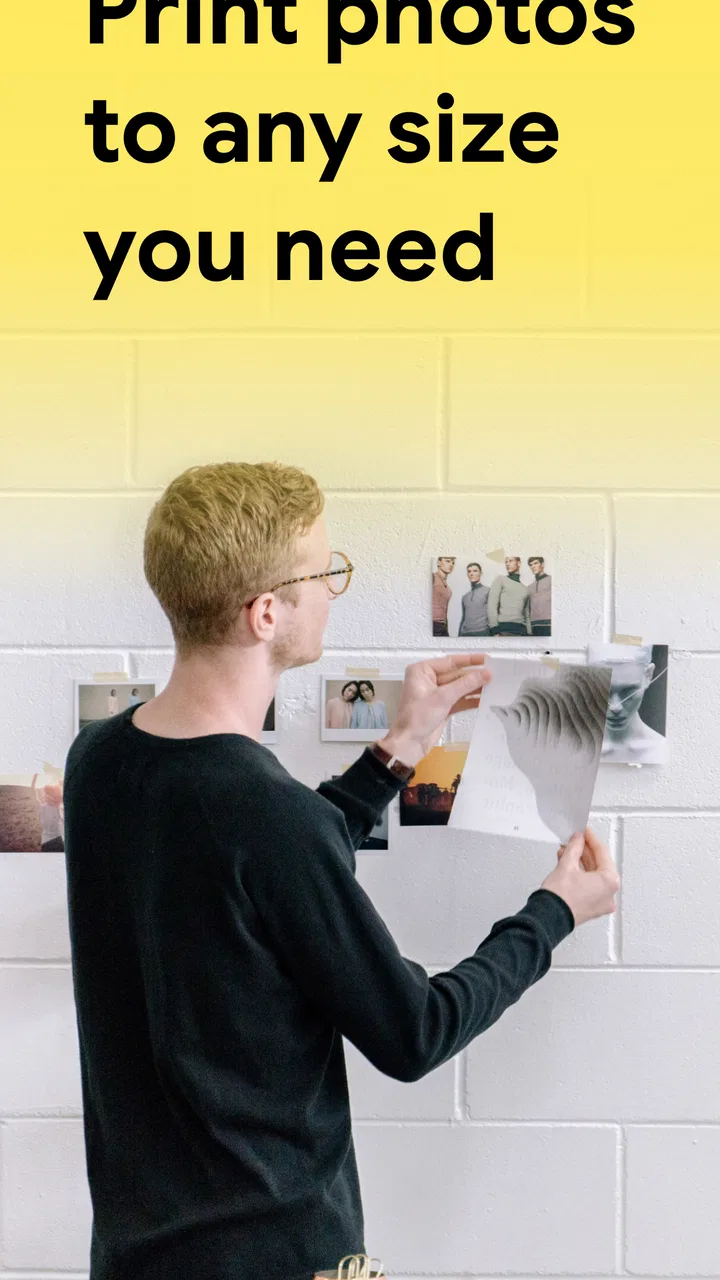
I approached Print Photo - Print to Size with a simple question: can an app focused on exact photo dimensions make printing less frustrating than the usual edit-and-guess routine? After using it as a practical photo and design tool, my answer is yes, with an important qualification. Its value is not in replacing a full photo editor or a professional print workflow. It is in giving everyday users a more direct way to prepare an image for a physical size, especially when a normal gallery app keeps the process vague.
That focused purpose makes the app easier to understand than many broader photo printing apps. It comes from TAPUNIVERSE and sits in the Art & Design category, but I think of it less as a creative studio and more as a preparation tool. You bring in an image, adjust it for the size you need, and work toward a print that is physically predictable. For a school project, a small frame, a craft template, a document insert, or a personal photo, that difference can save time and paper.
The app is priced at $2.99, with additional in-app items ranging from $1.99 to $19.99 each. That makes the purchase decision worth considering before you commit. I would not recommend it automatically to someone who only prints an occasional image through a shop that handles sizing for them. For people who regularly need control over the final dimensions, however, the focused approach is more convincing than a general-purpose editor that treats printing as an afterthought.
You May Also Like

 Blood Strike: 2.5 Anniversary
Blood Strike’s Loadouts Turn Every Drop Into a Tactical Gamble
A close look at Blood Strike’s custom loadouts: how fast access to signature weapons reshapes its battle royale rhythm, rewards preparation, and narrows the gap between fights.

 Pandora - Music & Podcasts
Pandora’s Music Is Easy to Start, but Harder to Recover
Pandora’s strength is its low-effort path from a seed to a station. Its weak spot is how much confidence it asks you to place in connection, setup, and quiet recovery.

 8 Ball Pool
 Is Built on Rivalries, Rematches, and Routine
A close look at the rivalries, rematches, shared routines, and unanswered safety questions that turn a quick pool match into a persistent mobile community.

 Samsung Music
’s Quiet Strength Is Playing What You Already Own
Its reach comes less from spectacle than from dependable access to a personal library. That simplicity is both the app’s strongest retention engine and its ceiling.

 AccuWeather: Weather Radar
AccuWeather Review: A Quick, Clear Forecast for Everyday Decisions
For everyday plans, the best forecast is the one you can understand quickly. AccuWeather makes rain timing, radar, and local conditions easy to act on, with a few trade-offs.

 Hill Climb Racing
Why Hill Climb Racing Still Turns Crashes Into One More Run
A tiny car, a bumpy hill and one more upgrade: Hill Climb Racing keeps resurfacing because its simple chaos makes every near-miss feel personal.
More From Our News Desk
View All News


What makes the sizing workflow useful
The strongest part of the experience is the attention given to physical output. Most phone editors are built around what looks good on a screen. They offer cropping, filters, brightness controls, and social-media formats, but they often leave the user wondering what the image will become on paper. This app starts from the opposite direction: the intended print size matters first.
That change in mindset is more important than it sounds. If I am preparing a picture for a frame, I do not want to crop it merely until it looks balanced inside a phone preview. I want the image to fit the frame without an unexpected strip of empty paper or an important face being cut away. A dedicated photo resizing tool makes that decision visible earlier, which is exactly where it belongs.
I also found the app more useful when the image had a practical job rather than being edited for appearance alone. A birthday picture can be printed in a chosen format, but the same workflow applies to labels, reference images, handmade cards, and visual material for a classroom. The app’s strength is that it treats size as part of the design instead of something to discover after printing.
One helpful habit is to decide the paper or object the photo is meant for before opening the image. If I begin with a target in mind, I can judge cropping more intelligently. If I begin by experimenting with the picture and only later choose a size, I am more likely to accept an awkward crop simply because I have already invested time in it. The app works best when the user brings a clear physical goal.
Another practical insight is that resizing and cropping are not the same decision. Resizing changes how large the image is intended to appear; cropping changes what remains in the frame. When I prepare a portrait, I pay attention to the subject’s position before accepting the final composition. A technically correct size can still produce a disappointing print if the crop removes hair, hands, or useful background context.
This is where the app can be more approachable than desktop design software. Professional programs offer deeper controls, but they also make a simple print task feel like a project. Here, the narrower purpose reduces the number of decisions competing for attention. I would rather use this app for a quick, exact-size image than open a large editor and navigate tools that have nothing to do with the job.
Where it fits into an everyday printing routine
A realistic example is preparing a family photo for a frame bought without standard dimensions. I would select the picture, set the intended size, and inspect how the edges affect the composition before sending it to a printer. If the original image is wider than the chosen format, I would look carefully at the preview rather than assuming the app can preserve every part of the photograph. That small pause is often the difference between a print that looks intentional and one that feels accidentally trimmed.
The same approach helps with a child’s school display. Suppose the image must fit a specific area on a sheet. Instead of placing the photo in a document and repeatedly printing test pages, I can prepare the image around the available space first. This is not a replacement for checking the printer’s paper settings, but it gives me a cleaner starting point and reduces the guesswork before the print stage.
A less obvious use is keeping a consistent visual scale across several images. When I am making a small collection of pictures for a wall, a scrapbook, or a handmade gift, matching their intended dimensions matters more than applying the same filter to all of them. I would prepare each image with the same physical target, then compare the subjects and crops. The result can feel more organized even when the original photos came from different cameras or occasions.
There is also a useful distinction between this app and a digital collage maker. A collage tool is usually concerned with arranging several images on a canvas. This app is more appropriate when the important question is how one image will occupy a real printed area. If I need decorative layouts, text-heavy posters, or layered graphics, I would choose a design app instead. If I need one photo to land at a deliberate size, this focused tool makes more sense.
The trade-off between simplicity and control
The same focus that makes the app approachable also limits its appeal. I would not choose it as my main editor for serious image correction. Users who need detailed color work, layers, typography, retouching, or advanced export controls will probably feel constrained. The app’s job is to prepare an image for printing, not to become a complete replacement for established editing software.
That limitation becomes noticeable when the source image needs substantial repair before resizing. A dark photograph, a tilted document, or a picture with distracting objects may require another app first. My preferred workflow in that situation is to correct the image elsewhere, save a clean copy, and then use this app for the physical-size decision. That two-step process is sensible, but it means the app is one part of a workflow rather than the whole workflow.
I also think users should be careful not to confuse exact dimensions with guaranteed print quality. A file can be set to the right physical size and still look soft if the original image is small or heavily compressed. The app can help me control the intended dimensions, but it cannot create genuine detail that was never captured. Before printing an important image, I would inspect the source carefully and avoid judging quality only from the phone screen.
Printer behavior is another part of the equation. Paper selection, printer margins, scaling options, and the difference between borderless and bordered output can affect the result. I would check the printer dialog rather than assuming that a correctly prepared image will always occupy the paper exactly as expected. This is a meaningful limitation of the whole mobile printing process, not necessarily a flaw in the app, but it is something a first-time user should understand.
The paid model may also create friction for casual users. The app itself costs $2.99, and optional in-app purchases are listed between $1.99 and $19.99 per item. I would look at the available workflow and decide how often I am likely to use it before paying. Someone printing one image at a copy shop may find the purchase unnecessary, while a crafter, teacher, photographer, or parent who repeatedly needs controlled sizes may see the cost as reasonable for avoiding repeated trial prints.
Who should use it, and who should choose something else
I see the clearest fit for people who regularly move between a phone and a physical project. Craft enthusiasts can use it when a picture must fit a handmade object. Students and parents can benefit when an image needs to occupy a defined space on a project board. Anyone assembling a group of similarly sized prints may appreciate having a dedicated step for checking the physical format instead of relying on an operating system’s automatic scaling.
It can also suit users who find professional design software intimidating. I would recommend trying it to a friend who says, “I only need this photo to print at the right size,” but does not want to learn a full desktop application. The narrower interface is likely to feel less overwhelming because the task is clearly defined.
On the other hand, I would steer a professional designer toward software with stronger layout and color-management tools. I would also suggest a different route to someone who prints through an online service that already provides reliable templates and previews. In that case, the service’s own workflow may be more convenient, especially if it combines printing, delivery, and standard product formats.
People who mainly share images online should skip this app unless they occasionally need physical output. Social posts, profile images, digital invitations, and web graphics are governed by screen dimensions and platform requirements, not by the same concerns as paper. Using a print-focused tool for those tasks would add a step without solving the main problem.
The age rating is Everyone, which matches the straightforward nature of the task. I would still expect younger users to need help with choosing paper, handling a printer, and judging whether a crop keeps the important part of the image. The app can simplify the preparation, but it does not remove the practical decisions around printing.
What to know before paying and installing
The app was released on Nov 29, 2022, and its current version is 2.0.9. It requires Android 9 or later, so compatibility is something I would check before purchasing, particularly on an older phone or tablet. That requirement is not unusually demanding, but a device that cannot run the app will make the price decision irrelevant.
Its public reception is mixed but reasonably established: it has a 3.7 average from around 279 ratings and has passed 50K installs, with 19 written reviews. I would read that as evidence that the app has found a real audience, while also recognizing that it is not universally loved. For me, those figures support a trial-minded decision based on the specific printing problem I need to solve rather than assuming the app will suit every kind of photo work.
Before starting a larger batch, I would prepare one representative image and test the complete path from selection to print. This catches practical issues early: whether the chosen crop works, whether the printer applies its own scaling, and whether the paper format matches the intended result. A single test is especially valuable for a gift or project where replacing several failed prints would be more expensive than spending a few minutes checking the setup.
I would also keep the original image untouched. Creating a separate copy for resizing gives me room to try a different crop later. This is a small workflow choice, but it matters when the same photograph may be needed in several sizes. The app is most useful when it becomes a controlled preparation stage, not the only place where the image exists.
For repeated work, I would make a simple checklist: confirm the target physical size, inspect the crop around faces and edges, check the source image’s clarity, and verify the printer’s scaling setting. None of these steps is complicated, but together they prevent the most common disappointment: a print that is technically the requested size yet visually wrong.
My final assessment
Print Photo - Print to Size succeeds because it concentrates on a problem that ordinary photo editors often handle poorly: translating an image on a phone into a deliberate physical dimension. I like that its usefulness is practical rather than flashy. When I need to prepare a picture for a frame, craft, school project, or consistent set of prints, the focused workflow is easier to justify than opening a large design suite.
Its weaknesses are equally clear. It is not the right tool for advanced editing, complex layouts, or users who already have a dependable printing service with built-in sizing controls. The paid entry point and optional purchases also make it less attractive for someone with only a one-time printing need. And while it can help control dimensions, I still have to think about image quality, paper, margins, and printer settings.
My recommendation is therefore specific: choose it if exact-size printing is a recurring part of your everyday projects and you want a simpler alternative to desktop design software. Skip it if your needs are mainly digital, highly professional, or already covered by a printer service you trust. For the right user, this is a focused and useful Art & Design app; for everyone else, its narrow purpose may feel more like a limitation than a benefit.
FAQs for Print Photo - Print to Size
01What is Print Photo - Print to Size used for?
Print Photo - Print to Size is designed to help you prepare photos for printing from a mobile device. It lets you choose an image, adjust its dimensions, position it on a printable page, and create a layout that matches your preferred paper size. This is useful when you need a specific photo size for documents, crafts, albums, labels, or other personal projects.
02Can I print photos in exact dimensions with this app?
The app is intended for users who need more control than a standard gallery print option provides. You can set or adjust the photo’s size and placement before printing, which makes it easier to prepare passport-style images, wallet photos, ID pictures, or custom layouts. However, final accuracy can also depend on your printer settings, paper type, and whether the printer applies automatic scaling.
03Does Print Photo - Print to Size support multiple photos on one page?
One of the practical reasons to use a print-layout app is the ability to arrange more than one image on a sheet instead of printing each photo separately. Print Photo - Print to Size can be useful for creating compact layouts with repeated or different images, helping reduce paper and ink waste. Available layout options may vary depending on the app version and device platform.
04Can I use photos from my phone’s gallery or camera?
Yes, the app is built around selecting images stored on your mobile device, so you can generally work with photos from the gallery and, depending on the available permissions and features, capture a new image with the camera. You should grant only the access the app requests and check the selected photo carefully, since cropping, image quality, and orientation can affect the final printed result.
05Does the app print directly to every wireless or home printer?
Print Photo - Print to Size may prepare the image or page layout for printing, but direct printer compatibility depends on your phone, operating system, printer brand, and available printing services. Some users may need to save or share the finished layout and print it through the device’s standard print function or a manufacturer-specific printer app. Always preview the page and verify scale settings before confirming the print.
Pros
- Quickly resizes photos to exact print dimensions.
- Supports common paper and photo sizes.
- Simple layout makes printing accessible to beginners.
- Useful for preparing images before sending them to a printer.
- Helps reduce unwanted cropping during photo printing.
Cons
- Some advanced editing or layout tools may require payment.
- Print results depend heavily on your printer and paper settings.
- Limited options for professional color management.
- Large images can take longer to process on older devices.
- Ads may interrupt the experience in the free version.

Print Photo - Print to Size
Gallery